Traditional binarization and morphological filters fail on uneven shading, security backgrounds, faded carbon copies, and dark tags. PerfectScan® analyzes the entire page using neural-inspired cognitive algorithms with machine-learning-tuned parameters—rebuilding broken characters, equalizing lighting with zero manual threshold tweaking, and boosting OCR accuracy by +38%.
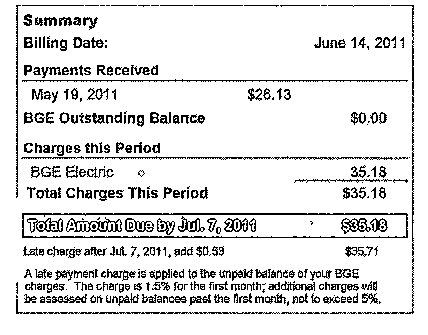 With PerfectScan®
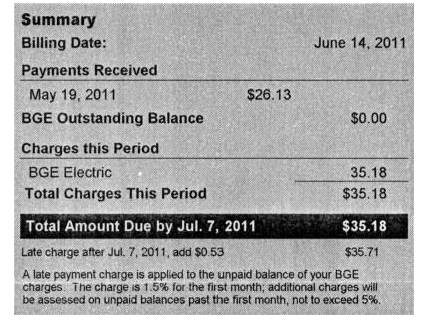
Models early human visual path processing across the full page, with internal parameters trained and tuned via machine learning.
Available as Full C/C++ Source Code, linkable API Library, TWAIN/ISIS Plug-in Module, or FPGA/ASIC IP.
Eliminates costly manual rescanning. Alters and refines output images offline without reacquiring originals.
Works with any scanner, mobile phone camera, DSLR, microfilm/fiche unit, or archived image repository.
Dynamic Computing Solutions tested real-world problem documents across traditional binarization and the industry's leading commercial image processing suite. Inspect every sample below.
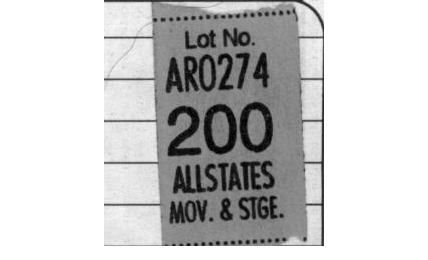
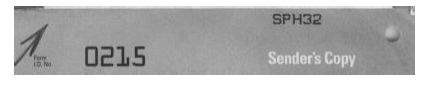
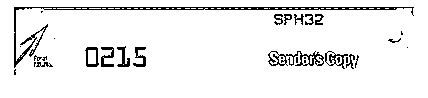
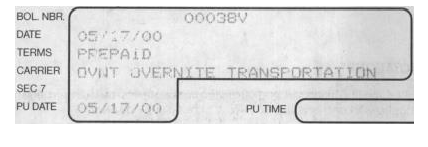
Low-contrast black text printed on dark gray/colored shipping tag.
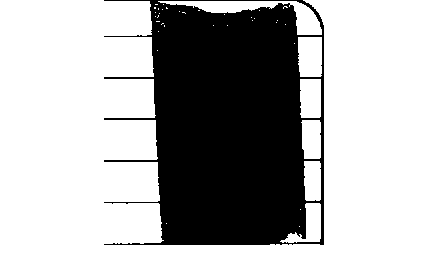
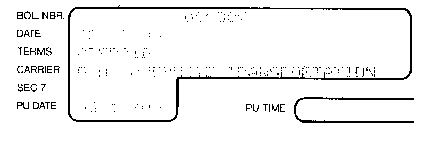
Global/local pixel thresholding collapses the entire tag into a solid black rectangle.
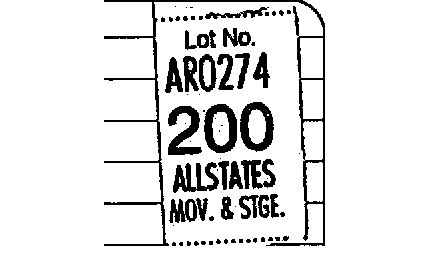
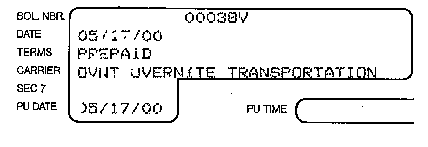
Separates tag shading from foreground ink, yielding 100% OCR-ready text.
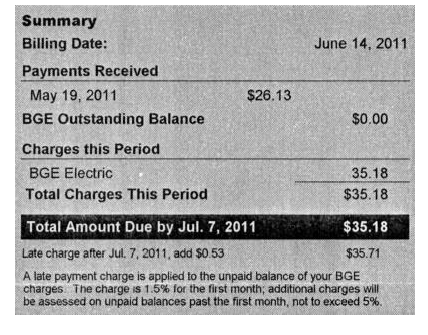
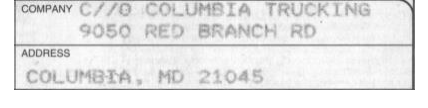
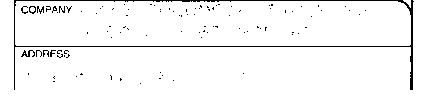
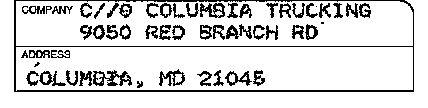
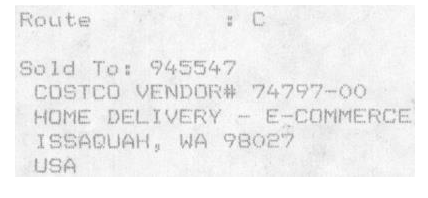
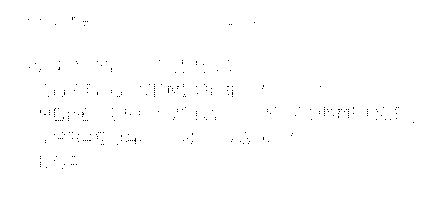
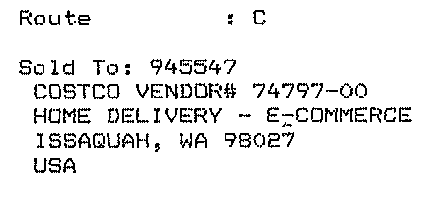



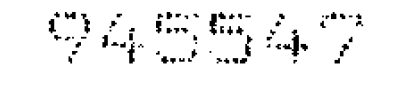
Created by a dot-matrix printer as disconnected dots. Standard OCR engines fail on fragmented glyphs.
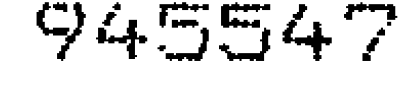
Darkens individual dots, but leaves gaps and jagged contours that still trip up automated OCR.
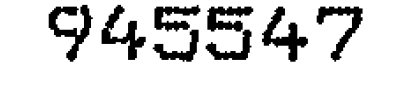
PerfectScan®'s inter-gap filling capability intelligently connects stroke segments into smooth, continuous characters.
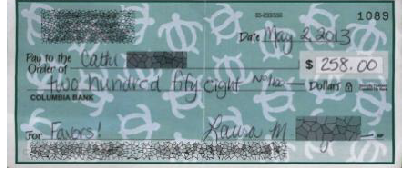
Complex sea-turtle security artwork across the entire check background interfering with handwritten fields.
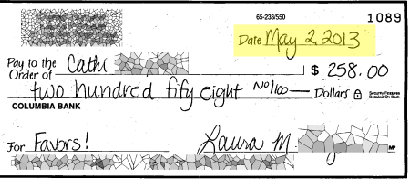
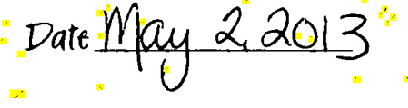
Even after manual multi-parameter tuning, turtle background remnants remain around the date.
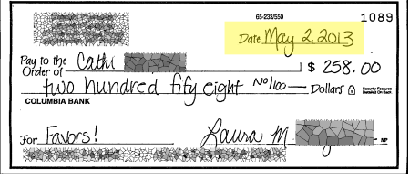
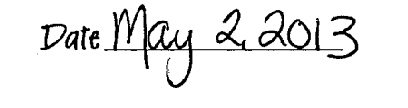
Processed out-of-the-box with default settings—completely eliminates turtle artwork remnants.

Raised embossing casts subtle 3D shadows across the center of the card.
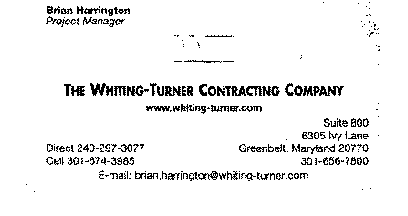
Misinterprets embossing shadows as foreground ink, introducing false black streaks and noise.

Drops the low-frequency embossing shadow while sharpening fine contact typography.
Inspired by early visual path processing and recognition models in the human visual system, PerfectScan® evaluates spatial and intensity relationships across the entire document—using machine learning to tune internal cross-stage parameters before synthesizing the final output.
Evaluates both spatial and intensity information between each point and its neighbors—preserving crisp character edges unlike conventional linear filters.
Analyzes and extracts foreground symbols, characters, and structural line objects from complex and uneven document backgrounds.
Intelligently repairs disconnected symbols, dot-matrix characters, and broken/dotted form lines by bridging missing line segments (language-independent).
Employs multi-level adaptive thresholding by computing the optimal number of significant peaks from the full-page intensity histogram.
Intensively dissects background layers—dropping uniform shading, removing driver's license holograms, or partially retaining security textures as desired.
Sharpens symbol boundaries to eliminate halo noise near character edges and suppress low-DPI pixelation stair-stepping.
The heart of PerfectScan®. All intermediate streams—Global Threshold, Background Dissection, and Refined/Sharpened Symbols—are fused using neural-inspired cognitive algorithms whose parameters were systematically tuned via machine learning for optimal gamma correction, zero noise, and maximum OCR legibility out-of-the-box.
Noise enters document images through physical document degradation or the analog-to-digital capture pipeline:
Examples: Ink splotches, salt-and-pepper speckle, stray marks, marginal shadows, and age-related foxing.
Independent of underlying text content. While simple speckle shows consistent behavior, chemical foxing interacts unpredictably with paper fibers and requires PerfectScan's full-page context to separate cleanly.
Examples: Optical blur (lens aberration / focal displacement), pixel-shift, two-sided bleed-through, and security watermarks.
Cannot be suppressed in the spatial frequency domain without prior knowledge of foreground symbols. PerfectScan's cognitive symbol extraction isolates true character strokes from bleed-through and blur.
Standard OCR engines achieve 99% on pristine pages but plummet on noisy scans. PerfectScan's character rebuilding boosts OCR accuracy by 38% on poor-quality documents and significantly improves handwriting recognition (ICR).
Automatically strips reflective security holograms (such as on driver's licenses and government IDs) so underlying text fields can be extracted cleanly by OCR.
By dropping background noise and sharpening glyph edges, output file sizes are drastically reduced—lowering storage costs and accelerating network and cloud transmission.
Reconstructs disconnected or dotted table borders and form lines, preventing form-processing and table-extraction failures.
PerfectScan® can be deployed as a stand-alone executable, a plug-in module inside an enterprise capture suite, or a lightweight C/C++ SDK linked directly into your in-house or OEM application.
Unlike hardware-locked legacy image processing suites, PerfectScan® gives OEMs and enterprises full deployment freedom—from offline batch files to full source-code licensing.
| Capability / Licensing Feature | PerfectScan® | Industry State-of-the-Art |
|---|---|---|
| Scanner-based (online) processing | ✓ | ✓ |
| File-based (offline repository / cloud) processing | ✓ | — |
| Customizable for specific customer requirements | ✓ | — |
| Flexible OEM & enterprise licensing model | ✓ | — |
| Updatable cognitive algorithms | ✓ | — |
| Supports TWAIN and ISIS drivers | ✓ | ✓ |
| Full C/C++ source code available for purchase | ✓ | — |
“One of the characteristics that differentiates PerfectScan from most IP technology is its ability to make adjustments considering the entire contents of a page. Most other image processing software takes a more myopic view and focuses more on individual characters. PerfectScan considers a page the way a human eye and brain would.”
Localized Dynamic Thresholding (The Sticky-Note Weighbill Test): During a live demonstration on a weighbill with an illegible sticky note attached, adjusting a single light-dark slider automatically brought the text on the sticky note into crisp view while keeping the rest of the document unchanged—without circling or highlighting the sticky note region.
Language-Independent Inter-Gap Fill (+38% OCR Accuracy): The enhanced processing mode automatically completes broken lines on characters across both machine print and handprint (ICR) without risky character substitution. Tests on poor-quality documents demonstrated a 38% improvement in OCR accuracy over standard OCR binarization.
Low-Light Mobile & Microfilm Speed: Evaluated effectively on ultra-low-contrast camera phone captures (taken where external flash/lighting is prohibited) as well as archival microfilm—processing at well under one second per page.
Read the complete 4-page technical whitepaper detailing coherent vs. incoherent noise physics, the 7-stage cognitive merging pipeline, and side-by-side binarization benchmarks.
Founded in 1998, Dynamic Computing Solutions brings decades of commercial document capture, computer vision research, and high-throughput hardware/software co-design experience.
Randy began his document management career in 1985 by founding ComData Inc., a Computer Output Microfiche (COM) and source document microfilming service bureau. In 1998, he founded Dynamic Computing Solutions (DCS) and served as an enterprise consultant for major capture products.
In 2004, Randy and his team developed Ingressor for Microsoft Exchange/Outlook, selling over 500,000 copies worldwide. He led the multi-year development of PerfectScan® to bring hardware-independent, cognitive document enhancement to millions of desktops, mobile devices, and enterprise capture pipelines worldwide.
Joining DCS in 2000, Dr. Le brings deep expertise across all aspects of image processing and enhancement—segmentation, pattern recognition, machine learning, feature detection, and computer vision—backed by high-performance data structures and architectures.
His research spans algorithm design, machine-learning-driven parameter optimization, custom hardware mapping (FPGA, ASIC), software/hardware co-design, and memory- and energy-efficient architectures. Dr. Le holds M.S. degrees in Electrical Engineering and Computer Engineering, and a Ph.D. in Computer Engineering from the University of Southern California (USC).
Bob’s entrepreneurial career began in the early 1980s as managing partner in a growing Mid-Atlantic sales and marketing agency. By 1992, he grew his own agency through strategic acquisitions to capture new market opportunities.
Between 2007 and 2011, he orchestrated two mergers creating a premier agency managing sales across the entire northeastern United States before its acquisition by a national firm in 2012. Bob serves as a strategic catalyst connecting enterprise OEMs and technology partners.
Have challenging document samples, microfilm reels, or mobile capture streams? Send us sample images or contact our East or West Coast offices to benchmark PerfectScan® against your current pipeline.
8396 Sunset Drive
Ellicott City, MD 21043
2156 The Alameda
San Jose, CA 95126